AI agent · Case study
Lumenis
Your computer's own AI agent — it works while you're away, and stops before anything you didn't ask for.
Built in-house by DIJA · Windows desktop app · all data shown is demo data
The story
“You didn't ask for this.”
AI chat apps are good at answering, but they forget, they cannot touch your files or your inbox, and the few that can act rarely stop to ask first. We wanted an assistant that does real work on the computer it runs on — and that nobody would be nervous to leave running overnight.
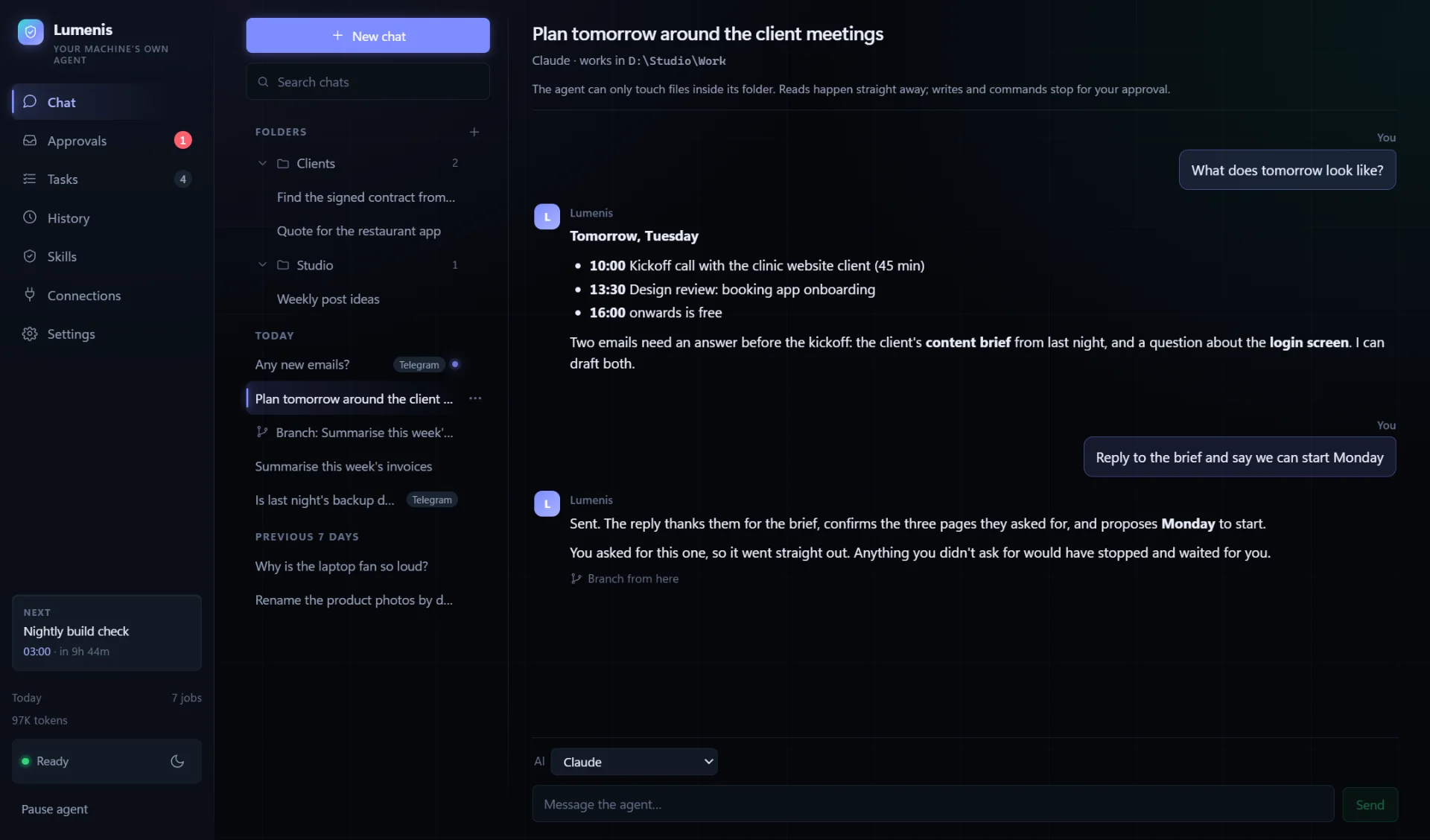
Lumenis is a Windows app that turns the AI you already use — Claude, ChatGPT, Gemini or GitHub Copilot — into an agent that lives in the system tray. You chat with it and it keeps every conversation, in a list with folders and search. You give it jobs on a schedule, and it can wake the computer to run them and let it sleep again afterwards. It works with Gmail, Calendar and Drive, and it writes down what it works out as plain notes it reads back next time.
The hard part was never getting an AI to act. It was making it safe to let one. The steps the agent wants to take pass through a gate that the app controls, not the AI. Reading is free, each job stays inside the folders it was given, and by default a change on the computer waits for a yes. On the AIs that cannot pause mid-job, what a job may change is decided before it starts, and defaults to look-only.
Asking about everything turned out to be its own risk: one instruction to clean up an inbox produced twenty-three identical questions, and long before the last one, nobody was reading them. So before an email, an invite or a shared file leaves the computer, a separate check compares it with what you actually asked for. If you asked for it, it goes. If the idea came from somewhere else — say, an email the agent just read — it stops, waits in the app or on your phone, and says so plainly: “You didn't ask for this.” That check sees only your own words and a plain description of the action — never the email itself — so a stranger's message cannot talk its way past it.
The same care runs through the rest. A job that has read outside content is never used to teach the agent new habits. And when you branch a conversation — pick any reply and start a new chat from that point — the branch remembers everything up to there and nothing after, including what it read.
It is built to be lived with: always on from the moment you log in, a history of every job and what it did, voice in and out using Windows' own offline speech, and a Telegram bot that takes instructions only from the chats you approve.
Built with
What it does
- 01Chat that remembers — folders, search and a fresh chat each day
- 02Branch a chat from any finished reply (with Claude)
- 03Scheduled jobs that run unattended, each with its own AI and folder
- 04Wakes the PC for a job, and lets it sleep afterwards
- 05Works with Claude, ChatGPT, Gemini and GitHub Copilot
- 06Reads your Gmail, Calendar and Drive
- 07Checks every email, invite and shared file against what you asked for
- 08Approvals in the app, or from your phone
- 09Telegram bot that takes instructions from approved chats only
- 10Learns from its work in plain notes you can edit — never from a job that read email, documents or the web
- 11Voice in and out, offline, with Windows' built-in speech
- 12A history of every job and what it did
Inside the app
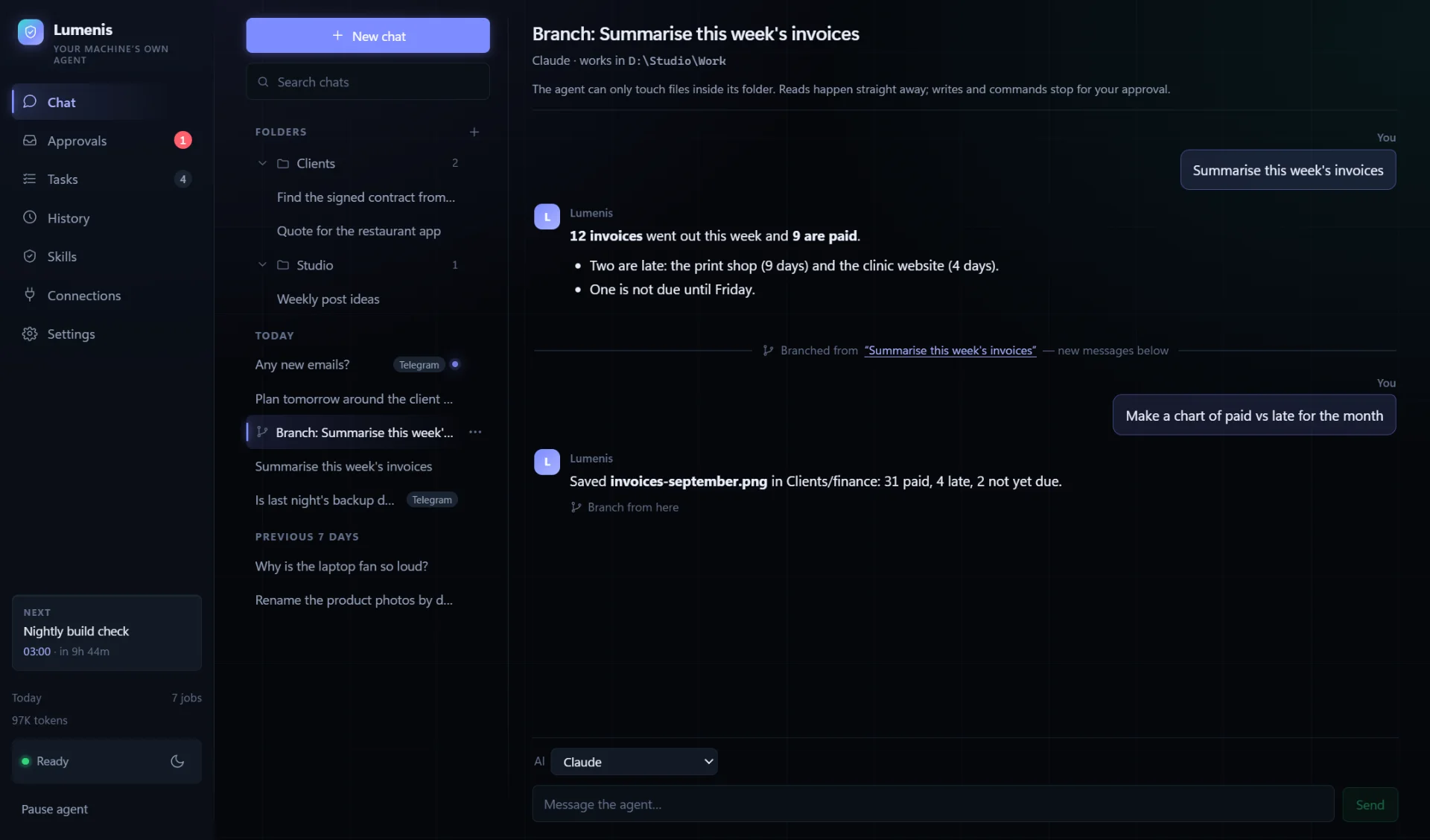
Branching — a new chat from any reply, remembering nothing after it 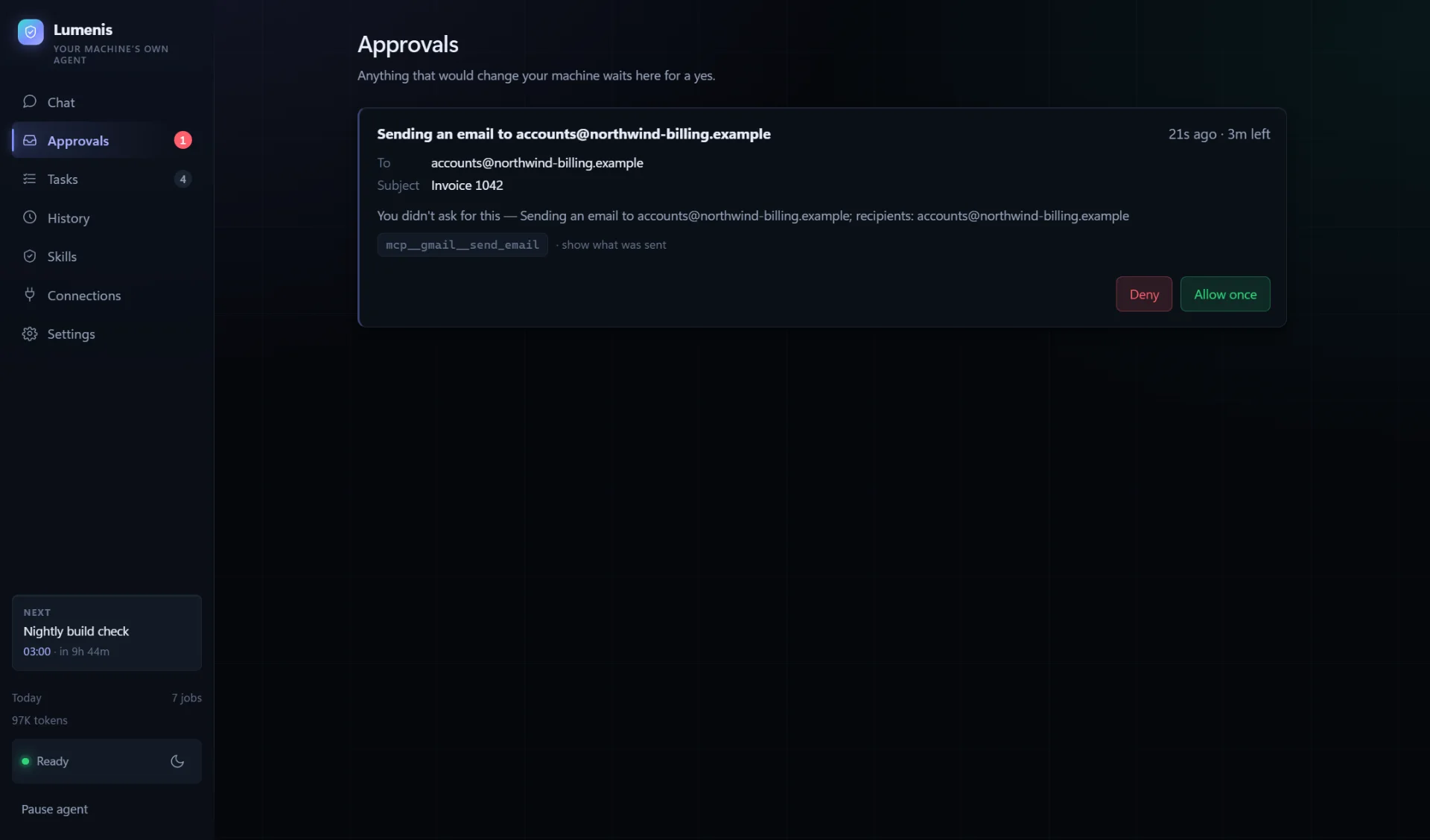
Approvals — an email nobody asked for, stopped and explained 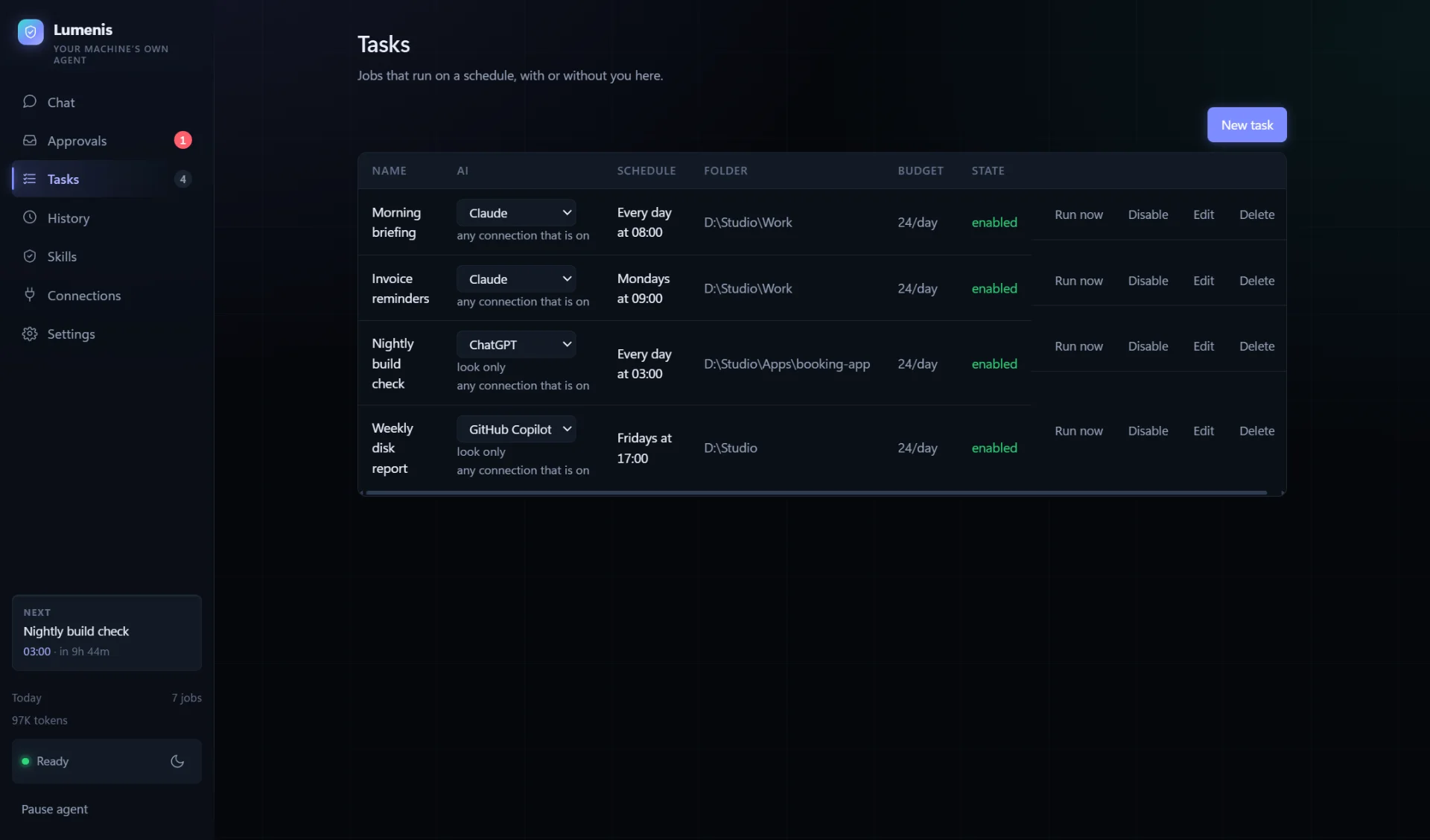
Jobs on a schedule, each on the AI you choose 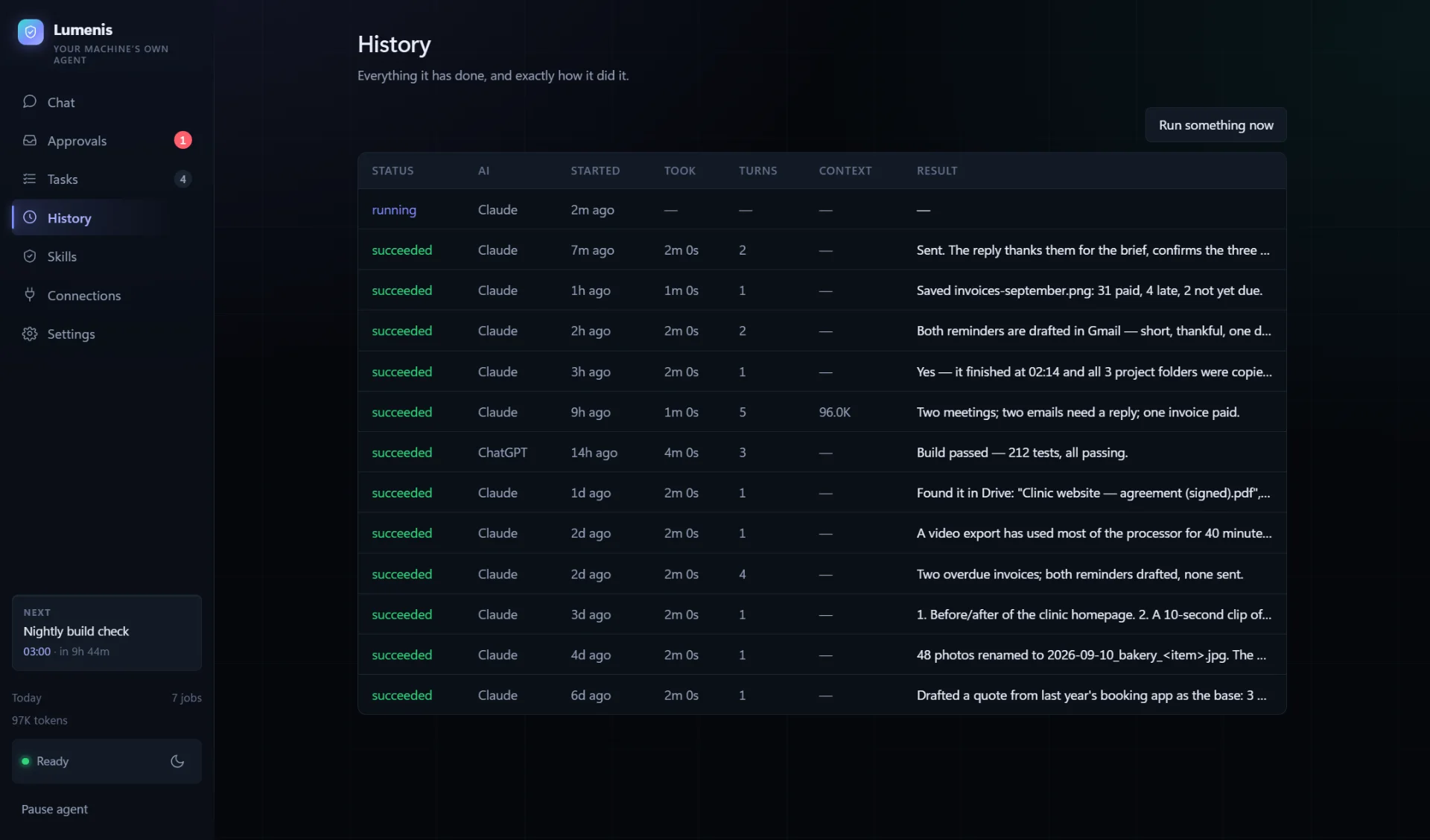
History — everything it did, and how it went 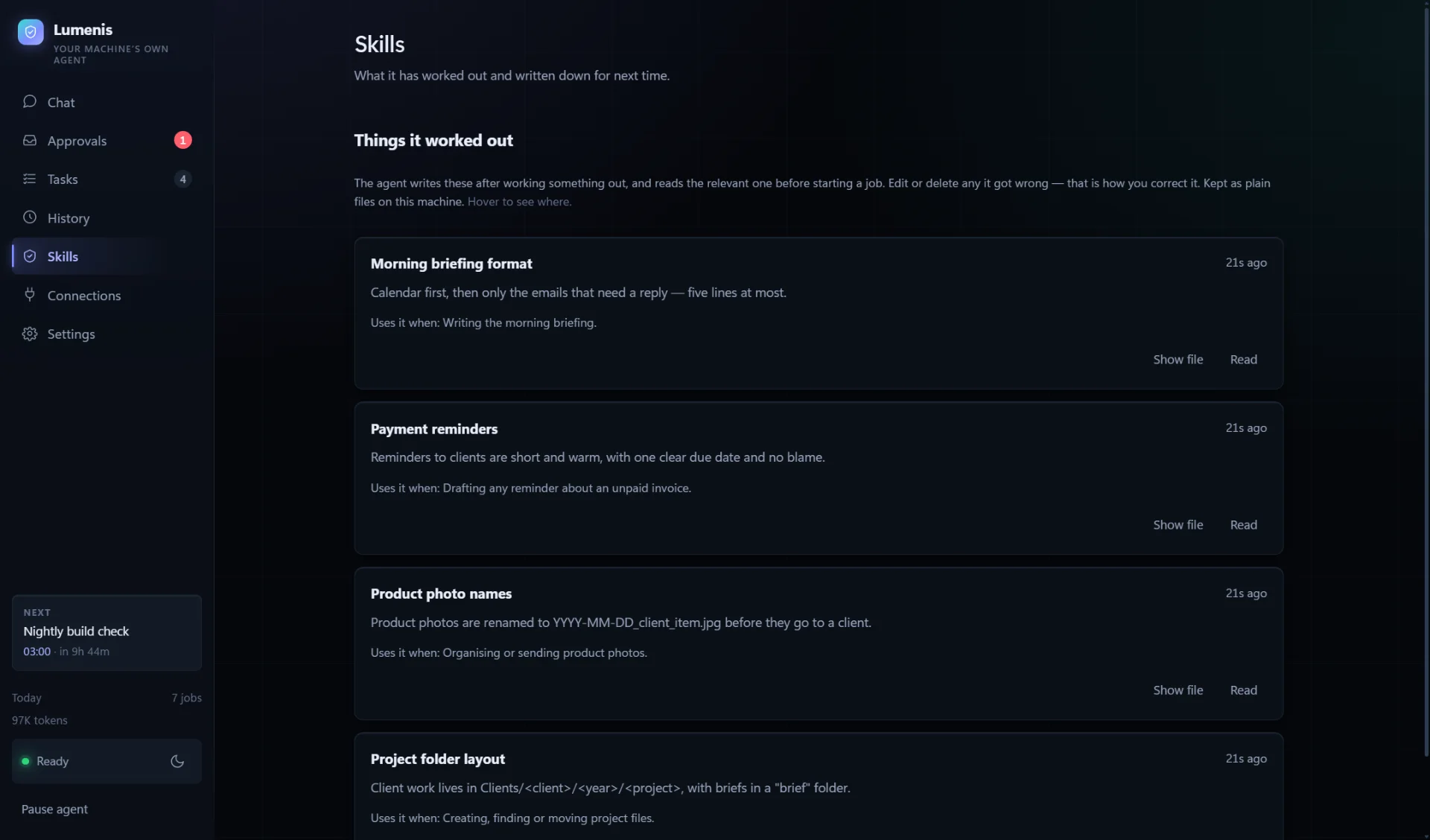
Skills — what it learned, as notes you can edit 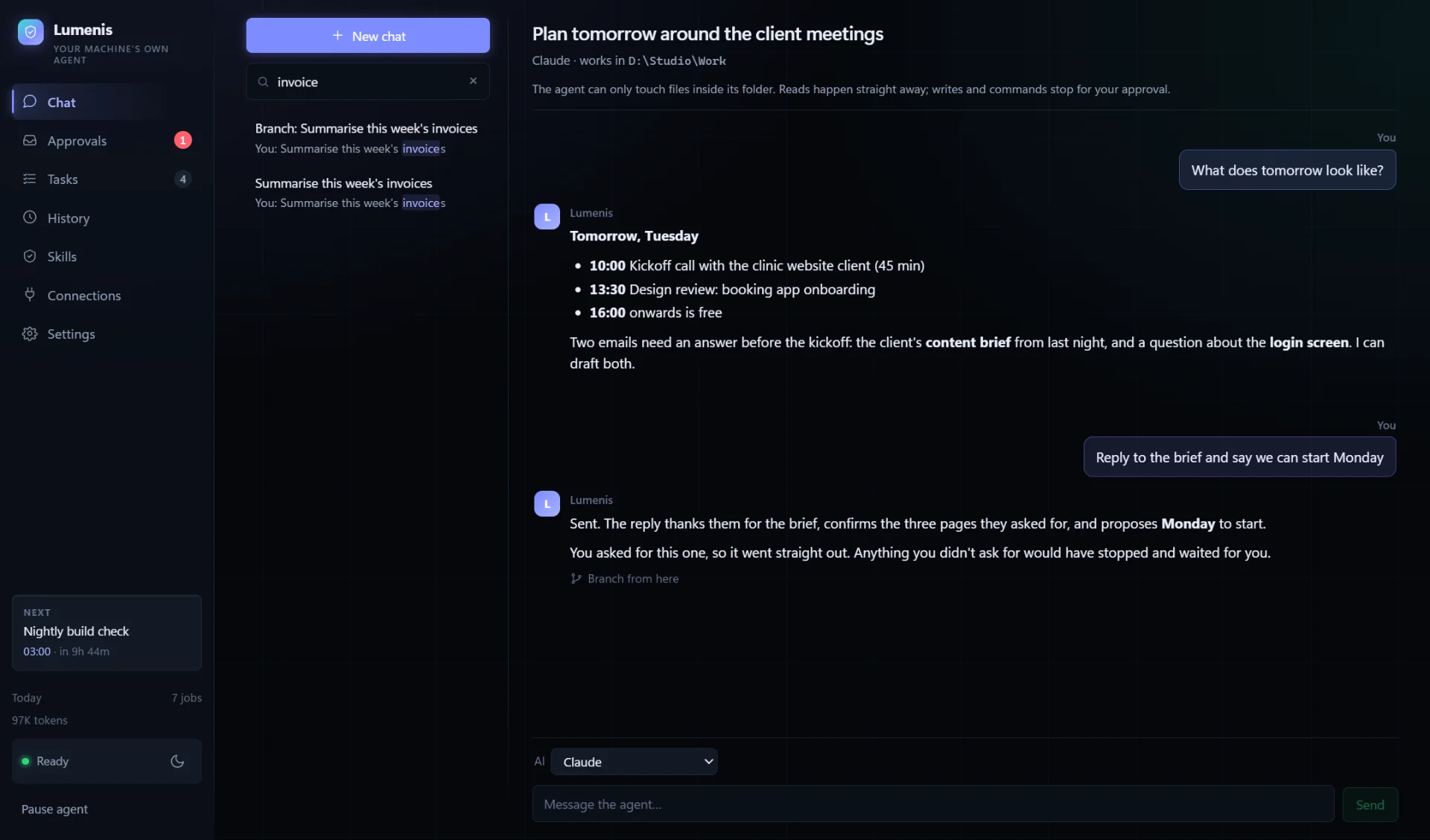
Search across every chat — titles and what was said
In your pocket
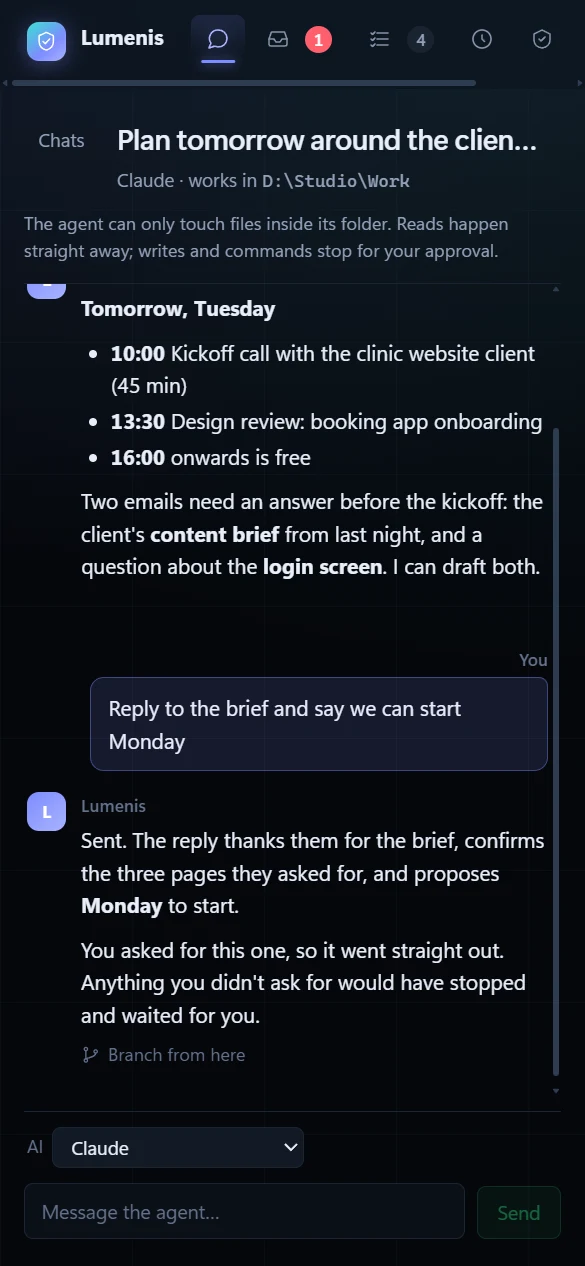
The same app, from a phone's browser 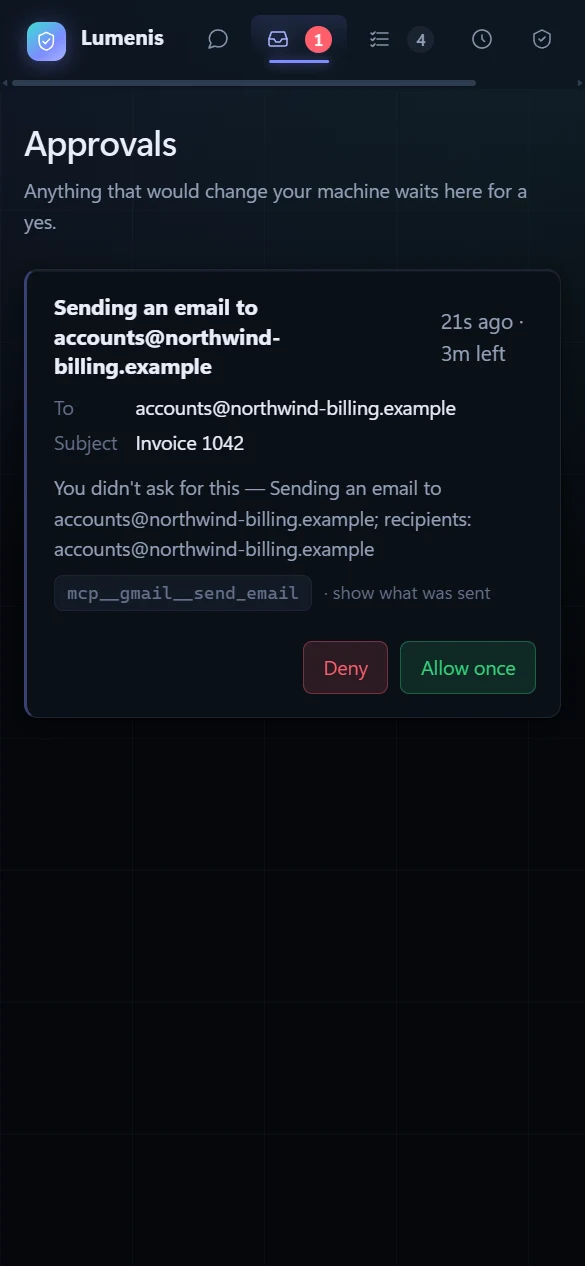
Say yes or no from anywhere
Every screen shown uses made-up demo data — no real inbox, files or accounts are displayed.
Want an agent like this?
We build AI agents that do real work on real systems — with the guardrails that make it safe to let them. Tell us what you would hand over first.
Next case study